Company
beBit
Year
2021
Keyword
Research, Optimisation
Redesigning 7-Eleven's super app in Taiwan
Role
UX Consultant
Duration
3 months
Responsibilities
Research, design, prototype, user testing, and presentation
Overview
I collaborated with 7-Eleven, Taiwan and optimised their super app, OPENPOINT, which had 12 million users and 2 million monthly active users in 2021.
My team (2 people) and I conducted in-depth interviews and user testing studies with 25+ participants and proposed 15+ design suggestions, shaping the two year product roadmap for 7-Eleven’s super app.
*This is a personally updated version of the case study, now in English.
Impact
The super app had a 2.5x increase in monthly active users in 2023, contributed by our design suggestions.
As a design consultancy, we didn't have control over the implementation details. However, over 50% of our design suggestions were implemented in proposed ways in the following two years.
Highlights
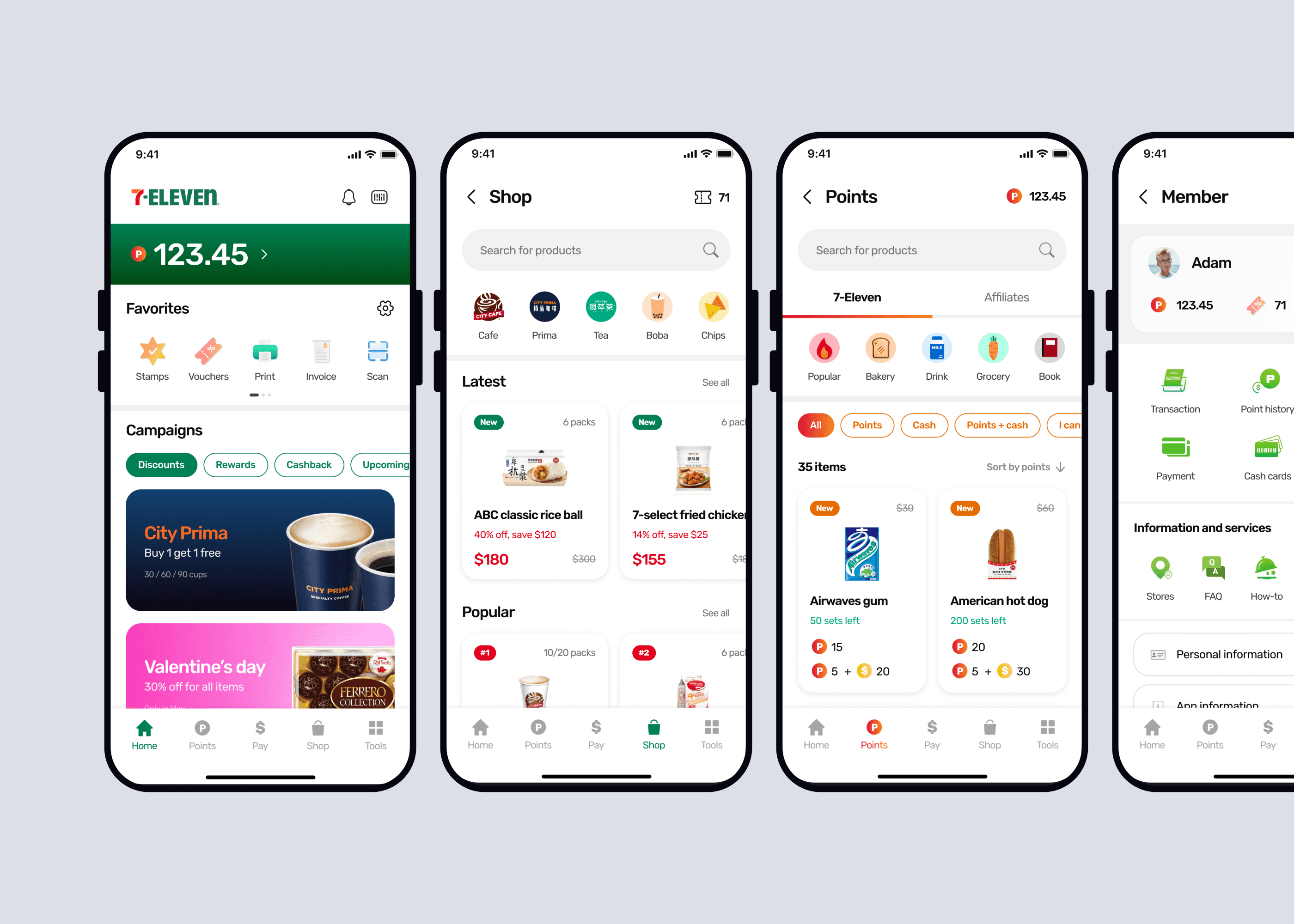
Three key design solutions for the Homepage, Vouchers, and Points experience are presented.
Problem 1
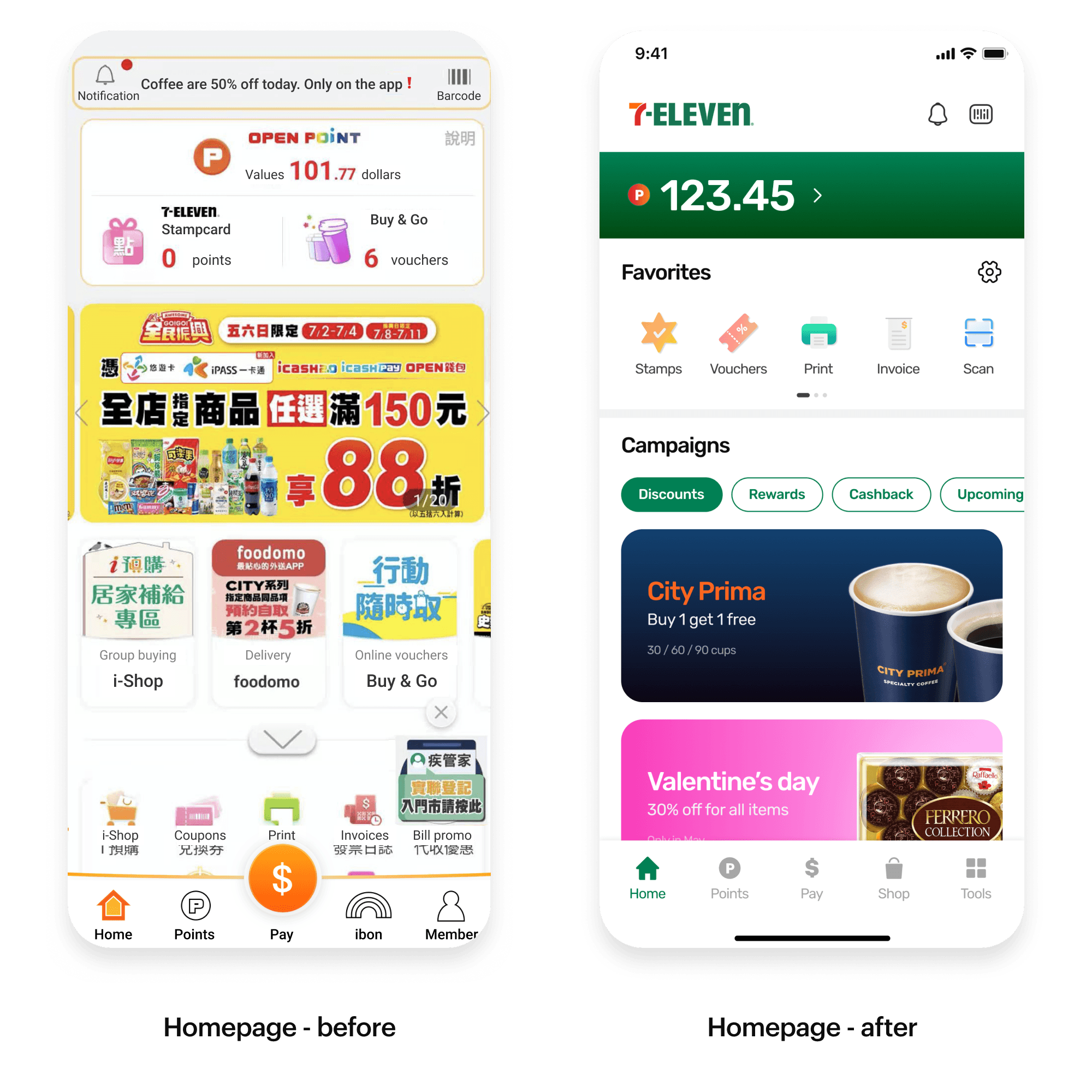
Users get lost easily on the home screen
The way-finding experience was problematic. The home screen was seen as messy and distracting with advertisements scattered around everywhere.
Users struggled to find specific features.
Solution 1
Re-organised layout with customization options
By splitting the home screen into to conceptual areas: features and advertisement, users can easily locate things by topics.
A “Favorite” section was also added to allow customization based on users’ different feature needs.
Problem 2
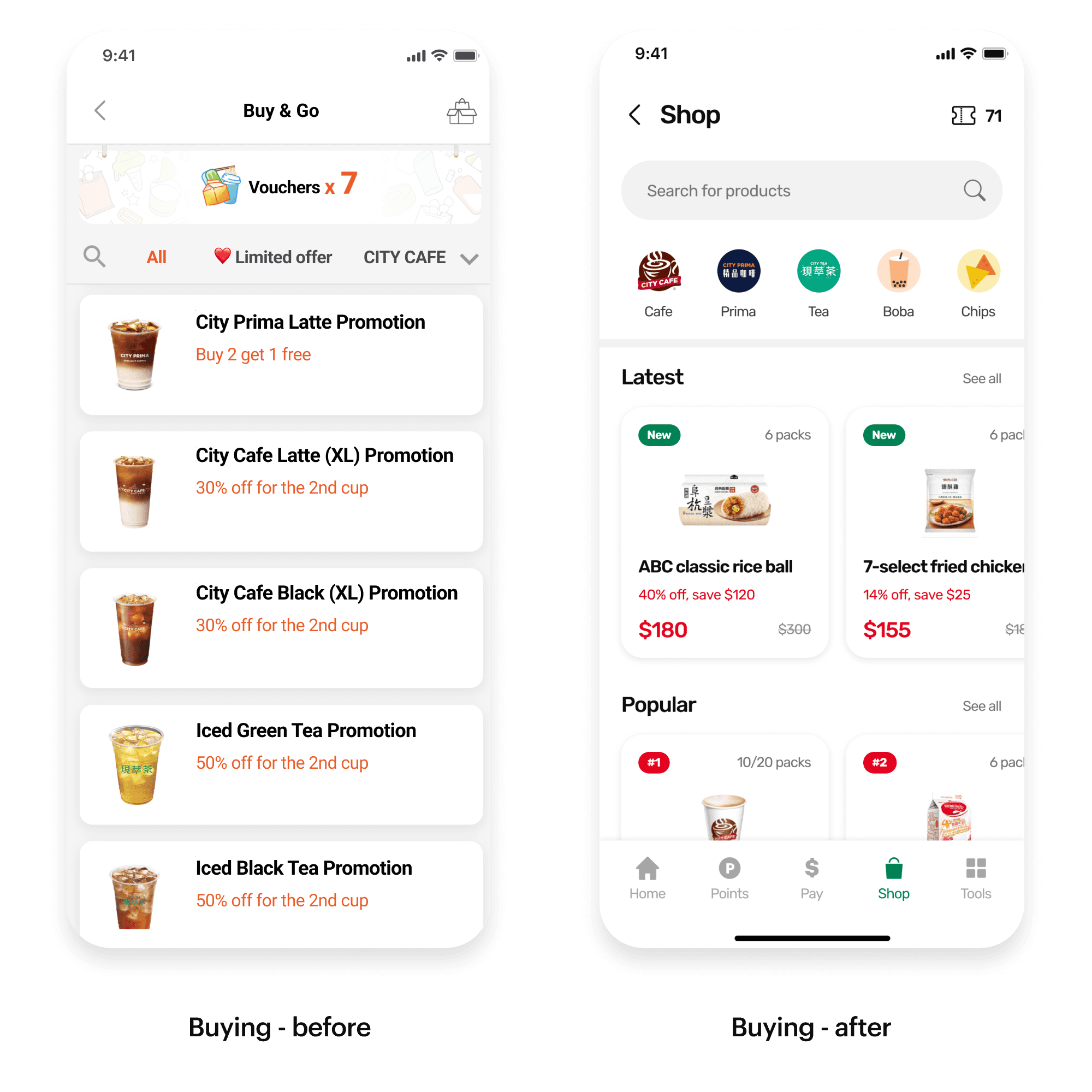
Specific voucher products are hard to find
When browsing voucher products to buy, many users didn’t notice the search and category feature at a glance. It’s also hard to identify new products from the single column listing.
Users took time to find specific vouchers they want to purchase.
Solution 2
Enhanced search bar, category tabs and rich product cards
I made the search bar bigger and placed it on top so it’s always accessible. The category tabs design was more evident and identifiable with icons and logos.
Horizontal layout and rich product cards were created to have a balanced visual and information display, making new products easier to discover.
Problem 3
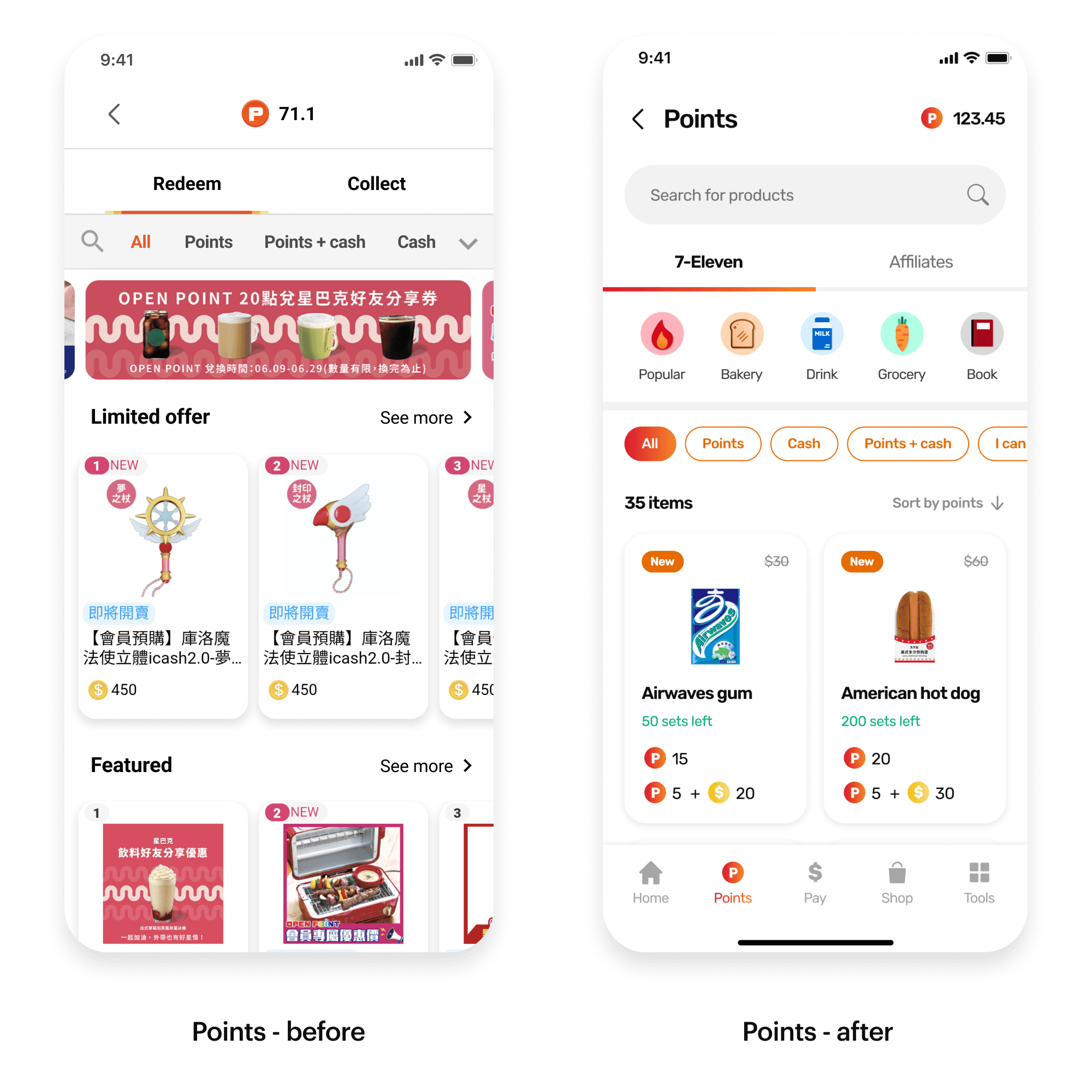
Redemption products are not easy to explore
When exploring redemption products, many users felt that there wasn't too much to explore. The ill-planned categories made the listing a mix of products from multiple brands.
Users found the product listing random and confusing to navigate.
Solution 3
Three-layered category for a clear hierarchy
I created a three-layer category system to give a better hierarchy of redemption products by separating brands, product types and redemption methods.
This made the products easier to explore with a better navigation.
Continue reading if you wish to see process and more context :D
Background
The super app faced a rapid growth but the team had little knowledge of their users.
The super app — OPENPOINT offers a variety of services, including mobile payment, a loyalty program, and O2O (online to offline) shopping. With the rapid growth in users, its UX has been criticized by the public.
As the marketing campaign continued to draw more users in, 7-Eleven wanted to improve their retention by increasing their monthly active users. However, they had very little knowledge of their users. They were budgeted for an enhancement project but didn’t know where to start.
“Our team’s goal was to help 7-Eleven understand their users, identify user problems, and suggest design solutions to improve UX and ultimately increase user satisfaction and monthly active users.”
Challenges
Design within limited scope and undefined problems
The client didn’t have a prioritized problem to solve. Hence, we were given flexibility to decide what to work on. Our first step had to be investigating the overall app experience broadly instead of diving deep into a specific journey.
Since a majority of their users are middle-aged and less tech-savvy, the learning curve for them to embrace changes is higher. As a result, we were asked to keep the app sitemap intact and only focus on five parts of the super app -- Homepage, Buying, Points, Payment, and Member Center.
We had to modularize enhancements for incremental changes.
Method
Standard design thinking process
Through a standard design thinking process, we aimed to help our clients to understand who their users are, know what troubles them while using the app, and increase active user rate through a better UX.
My team and I first recruited 12 users with diverse backgrounds. Each user underwent 2 hours of semi-structured interviews as well as usability tests. Then we analyzed data and brainstormed based on research findings. Then a prototype was developed and tested with 8 users in another round of interviews before we finalized the design solutions.
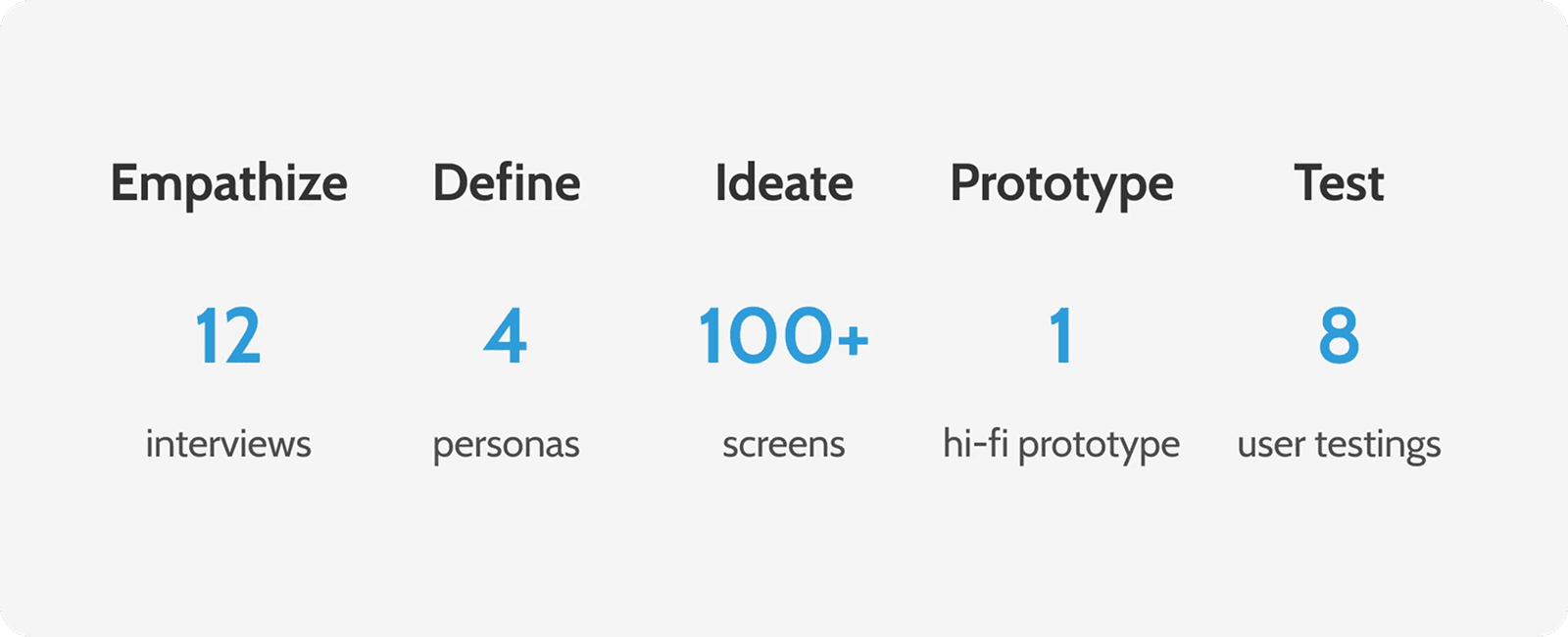
Design thinking process - key numbers
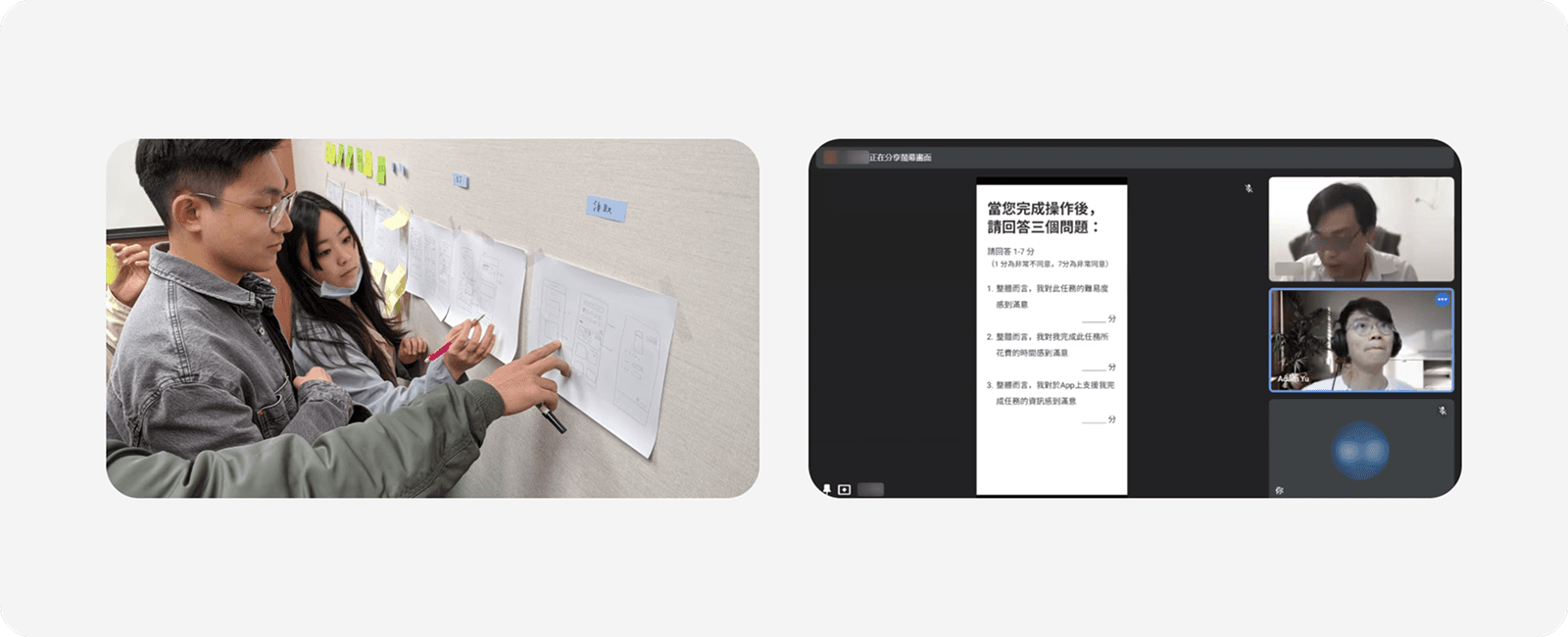
Ideation workshop and remote user testing - due to the Covid-19 situation, the whole user testing (8 users + 4 shop owners) was fully conducted in a moderated remote setting.
Research insights
We found four major personas and two unanimous user needs.
Four personas — sensitivity to discounts cross purchase power
We discovered that user’s sensitivity to discounts and their purchased amounts of online vouchers (e.g. coffee vouchers) construe the x-axis and y-axis that split our users into four personas.
The two axes represented users’ different needs and usage patterns, including their usage frequency and the features they use the most. This gave us great insights for the ideation phase. It also helped to communicate with our clients on design rationales.
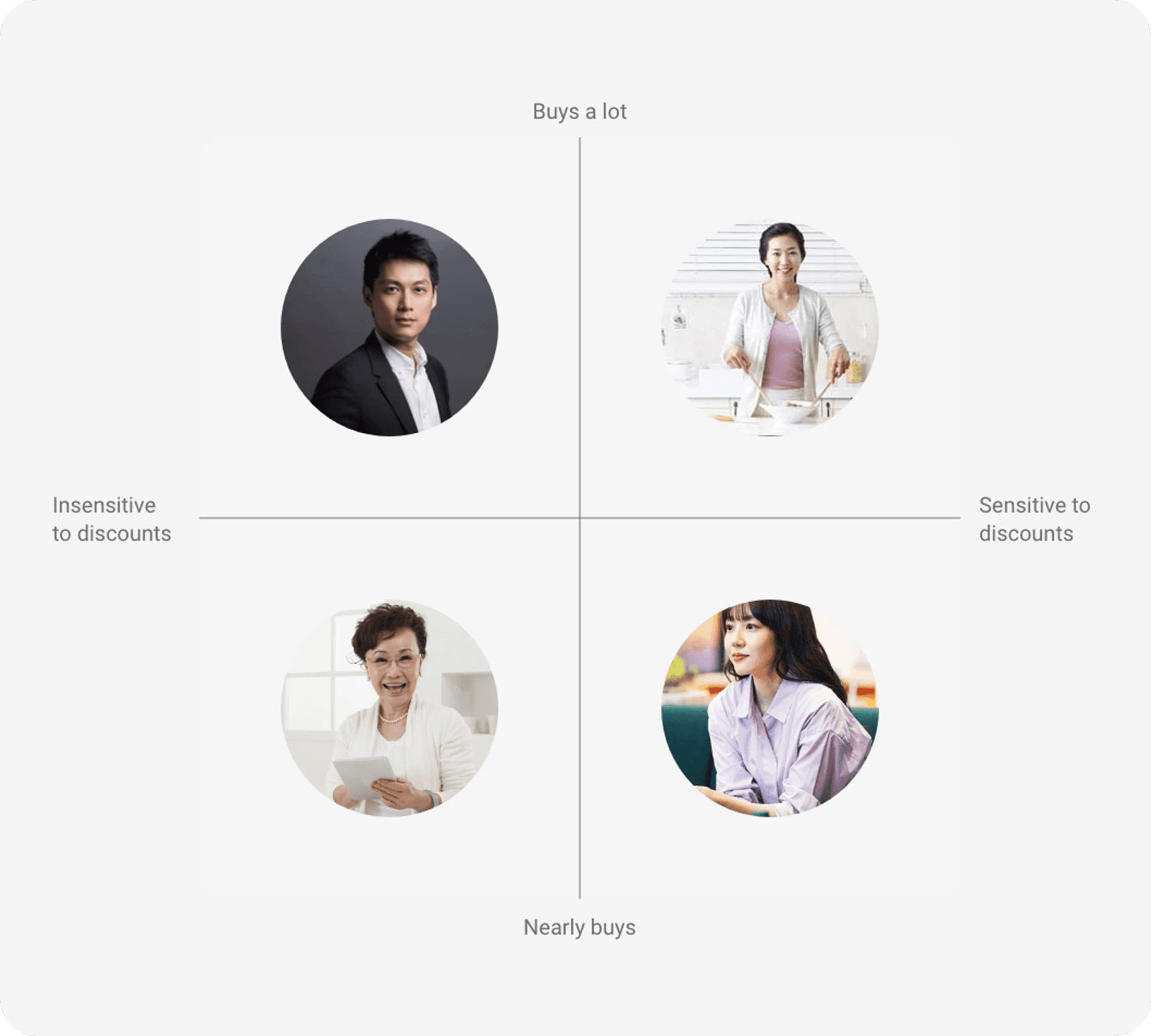
Four personas - simplified version
Common needs — Users expect a simpler layout and less repetitive steps
We found that across all types of users, they referred to the app as messy, and complicated with too many features. They often get lost because the screen feels too busy and the steps feel repetitive.
It led to our first design direction:
“...How might we deliver a better experience by adjusting layouts and reducing redundant steps.”
Common needs — Users only expect things they care about to stand out
We also concluded that customization was important because users' needs are so different that they only expect things they care about to stand out. Irrelevant information was seen as unnecessary, which made them feel the app was complicated.
For instance, users who don’t seek any advertisement expect quick access to certain features they use in the app whereas users who actively search for all clues of promotions on the app are willing to spend time exploring and reading all the details.
This led to our second design direction:
“...How might we deliver a better experience by providing customization in the app.”